About Webhooks
Webhooks are a powerful tool that can notify you of important events happening to your work orders, invoices, or proposals. With webhooks, you will be getting updates as they happen rather than constantly polling for the latest data.
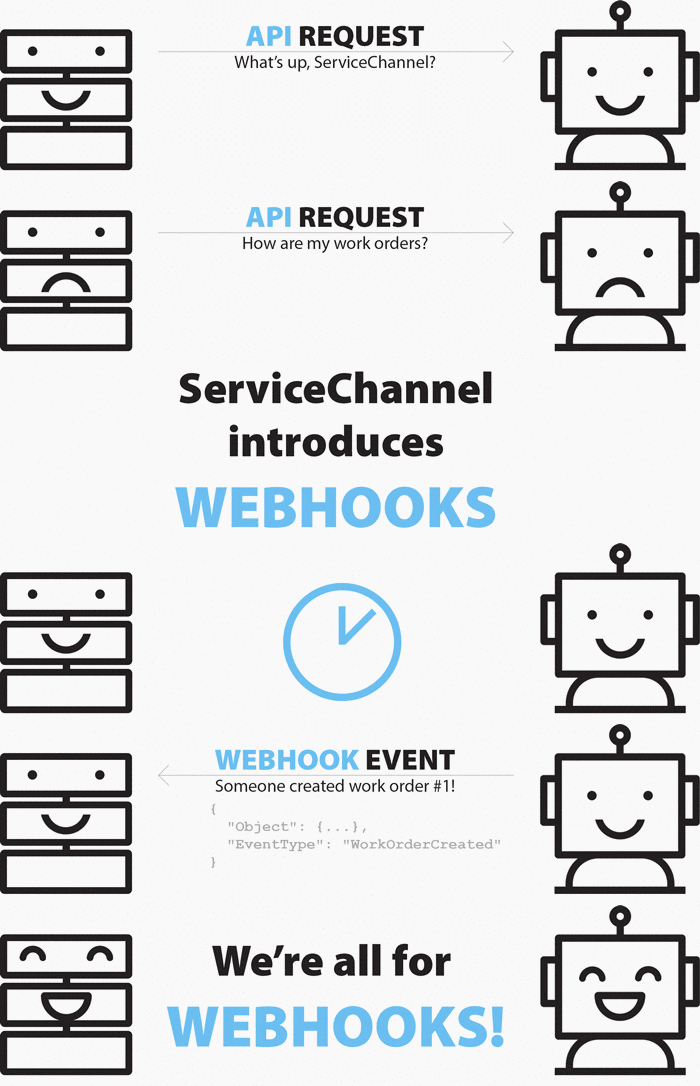
You can configure webhooks either through the ServiceChannel API or the Service Automation or Provider Automation UI. To set up webhooks, tell us the target URL for sending notifications, and specify the events to which you want to subscribe. When one of those events happens, we will deliver a notification to the indicated URL.
Important: To create and manage webhooks, you need to have the following permissions:
- For subscribers: an account with the Super Admin secondary role.
- For providers: an account with the Provider Automation Admin access level.
Events
We can alert you each time a ServiceChannel event happens, such as when a subscriber creates a work order, a technician checks in or out, a provider accepts a private network invitation, and more. You can subscribe to one particular event or opt for all events. For the full list of events that we support, see Types of Events.
Subscriptions
In ServiceChannel, each webhook consists of one or several subscriptions. Each subscription contains only same-object events.
Webhook settings — target URL and webhook status, either enabled or disabled — are common for all subscriptions within one webhook, while each subscription has its own settings: a list of events that you want to subscribe to and filters, also called event rules.
One subscription can contain events only related to the same object. For example, to receive notifications regarding both work orders and invoices, you should create either two subscriptions within one webhook or two separate webhooks.
Tip: Think of a webhook as a container for multiple subscriptions. Add one subscription per object.
Limits
There are limits to the number of webhooks you can set up.
You can create up to 20 webhooks and up to 20 subscriptions within each webhook. That means you can have up to 400 subscriptions.

Security and Validation
ServiceChannel implements several security measures to protect our infrastructure and your data, and we recommend you do the same on your side.
Authenticating Outgoing Requests
To verify that a notification is genuinely sent by ServiceChannel and has not been tampered with, you should implement authentication checks on your receiving server.
We sign every event with a special signature to confirm that the data is originated from ServiceChannel. Learn more about Getting the Signing Key.
Verifying the Payload
We recommend the following best practices for handling incoming data:
-
Use HTTPS: Always use an
https://URL for your webhook endpoint to ensure data is encrypted in transit. -
Validate the Content-Type Header: ServiceChannel sends webhook notifications with the
application/jsoncontent type. Your server should verify this header before processing the payload. -
Validate the Signature: Payload verification helps ensure that the webhook payload originated from the expected sender. Validate the signature before processing any webhook event. For details, see Verifying an Event.
Circuit Breaker for Webhooks
There is a specific logic for disabling webhooks when delivery fails repeatedly. This is a critical piece of information for developers to ensure their integrations remain active:
- Failure Threshold: If 1,000 events fail to send, the system triggers a 12-hour timeout.
- Disabling Logic: If this failure cycle (1,000 failures followed by a timeout) occurs twice, the webhook subscriptions are automatically disabled.
- Monitoring: Developers should be advised to monitor their endpoints to avoid reaching this threshold, as manual intervention may be required to re-enable them.
Practical Testing Guide
To get started faster, you can use the following tools and workflows.
-
Testing Tools: Third-party tools like Pipedream can help you generate temporary URLs for capturing and inspecting webhook payloads during development.
-
Ping Functionality: The Ping URL button in the Service Automation Admin UI helps you verify connectivity before fully deploying a webhook.
Webhooks vs Service Bus
In addition to APIs and webhooks, ServiceChannel supports integration through Azure Service Bus for organizations with high transaction volumes or complex enterprise integration requirements. Service Bus provides an asynchronous, scalable, and reliable messaging model that helps ensure events are delivered even during temporary system outages or processing delays.
This approach is particularly beneficial for customers that need to process large volumes of work orders, invoices, assets, or other operational data, integrate with multiple downstream systems, or decouple internal processing from real-time API calls.
Unlike simple API calls, the Service Bus provides a robust retry mechanism. If a receiving system is temporarily down, the Service Bus can hold the message and attempt redelivery later, ensuring data consistency across platforms and preventing data loss during peak traffic or system fluctuations.
Reach out to your ServiceChannel representative to explore how the Service Bus can optimize your integration architecture and enhance system scalability.